
How InsuranceLeads.co Works
InsuranceLeads.co helps buyers browse masked auto and home insurance lead opportunities, monitor live marketplace activity, subscribe for alerts, and move into shared or protected purchase paths when inventory matches their goals. A meaningful part of the lead flow comes from SEO-driven traffic, which supports stronger intent signals and a more dependable path for teams that care about conversion quality and response speed. This page explains masked previews, lead availability review, the lower-friction trial path for new buyers, repeat buying through buyer email recognition, post-purchase access through wallet balance and secure buyer links, and the review-request path for qualified verified data quality issues.
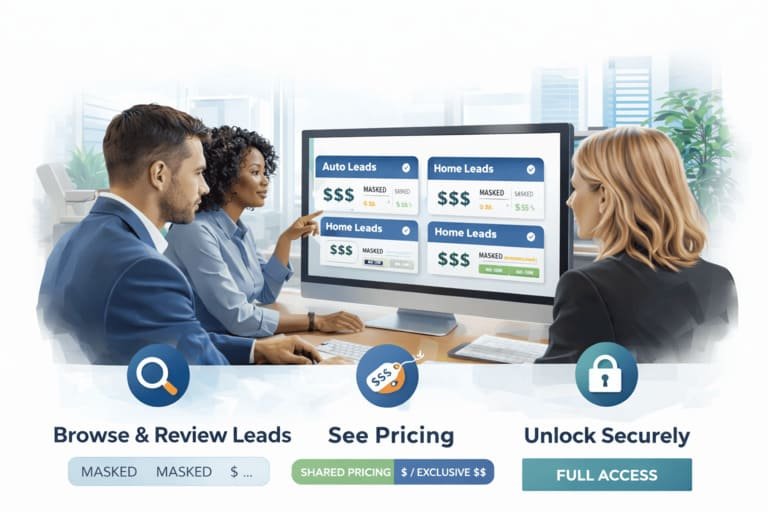
A cleaner path from browsing to buying
The platform is designed to reduce blind buying. Buyers can review marketplace context first, move into trial access if they want a softer entry, and then continue into live purchases with clearer pricing visibility, secure post-purchase access, and a more connected repeat-buying flow.
Step 1: Browse Masked Lead Opportunities
InsuranceLeads.co begins with buyer-safe lead visibility. Buyers can open the marketplace, review masked previews, and monitor how recent auto and home insurance lead activity appears before moving into purchase decisions. This helps reduce uncertainty and makes the platform easier to use for both smaller agencies and larger teams.
The masked preview shows enough information to evaluate lead relevance without exposing full contact details immediately. Buyers can review location, masked contact details, lead labels, availability, and pricing visibility before deciding whether a lead fits their state focus, category mix, and acquisition model. Teams that want the broader recurring path can also review how shared insurance lead buying works as part of the marketplace logic.
Step 2: Start With a Lower-Friction Entry Point
Buyers who want to try the platform before purchasing can start with a lighter entry path instead of moving directly into a paid workflow. This is useful for teams that want to preview lead format, understand what information becomes available, and see how alert delivery fits their internal process before committing to larger volume.
That softer first step lowers friction for first-time buyers. Instead of needing to commit immediately, they can use the trial access page to preview the experience by email and then decide whether to continue into live shared or exclusive marketplace buying.
Step 3: Review Shared and Exclusive Paths
Shared Purchase
Shared purchase gives buyers a lower-entry way to access available lead opportunities. Shared pricing is shown before purchase, so teams can evaluate whether a lead fits their workflow and budget before continuing. Shared distribution on the platform is controlled rather than unlimited, which creates clearer expectations around availability and buying pace.
Shared access is especially useful for buyers who are still refining their buying rhythm. Teams can review marketplace visibility, watch active lead flow, and use shared purchases as part of a broader recurring lead acquisition process. Pricing can also step down as the lead gets older, which gives buyers more than one entry point depending on urgency and budget.
Exclusive Access
Some leads may also show an exclusive access path. Exclusive access is not positioned as a universal option for every lead, but when it appears, it gives buyers another way to move on a lead opportunity with stronger first-contact protection. The protected window shown on the lead card matters more than a vague premium label.
For example, eligible exclusive auto listings can show a protected first-contact window before later restricted distribution rules apply. Buyers who want a deeper explanation of that structure can also review exclusive insurance lead access separately.
Step 4: Save Your Buyer Email and Build a Cleaner Buying Flow
One of the most useful workflow upgrades is buyer email recognition. When buyers use the same buyer email consistently, the platform can recognize prior purchases, support secure reopen links, and help returning buyers navigate the marketplace with less friction.
This improves repeat buying because already purchased items can be marked more clearly, accidental duplicate selection becomes less likely, and the buyer can later request a fresh access link without starting from zero. The result is a more connected workflow across multiple sessions, devices, and purchase cycles.
Step 5: Complete Payment and Unlock Full Details
Once a buyer decides to move forward, the platform provides a structured payment and unlock flow. The buyer follows the payment instructions shown on the lead page or checkout page, submits payment, and then the order moves into confirmation flow. After payment is confirmed, the platform unlocks full lead details securely.
Purchased access is tied to secure order-linked flow rather than being treated like a simple public page view. Buyers can also request a fresh secure buyer link by email, which makes it easier to reopen purchased leads later without relying on a fragile manual process.
Step 6: Use Wallet Balance, Top-Ups, and Qualified Review Requests
Post-purchase workflow is now more useful for active buyers. Wallet balance keeps available credit visible in one place, and when enough balance is present it can support future buying activity instead of forcing every session to feel disconnected. Buyers can also top up balance when they want a smoother repeat-purchase path.
The platform also includes a lead review or credit-request path for qualified cases. When a purchased lead has a verified data quality issue and the case fits the review rules or timing window shown in the platform, the buyer can submit a request. Approved requests return buyer credit to wallet balance. This is meant to create a clearer review process for serious buyers, not to act as a blanket refund promise for every complaint.
Step 7: Use Alerts Together with Marketplace Visibility
InsuranceLeads.co is not only a browsing screen and not only a subscription form. The strongest buyer workflow combines both. Buyers can subscribe for instant alerts, daily digests, or both, while also using marketplace visibility to stay close to active lead flow and make decisions with more context.
This is especially useful for buyers who work by geography, by category, or by buying pace. Some teams want to react immediately to new lead flow, while others want a broader visibility layer that helps them decide how to allocate budget over time. Teams running faster-response workflows can also compare the model with insurance lead buying for call center operations.
Step 8: Work by Geography, Category, and Timing
The platform works better when buyers do not treat all leads as identical. Geography, lead category, state tier, freshness, and purchase path can all affect how useful a lead is for a given team. Premium-tier states can carry stronger pricing than standard states, and older leads can move through lower pricing bands over time.
This means buyers can choose between fresher inventory at higher visible pricing or older inventory at lower price levels, depending on workflow fit. Teams that prioritize territory control can also use the marketplace with a stronger geography lens by reviewing how insurance leads by state fit their licensing, staffing, and market priorities.
Why This Workflow Helps Buyers
Frequently Asked Questions
Do I need to subscribe before browsing leads?
No. Buyers can review marketplace activity and masked previews first, then subscribe for alerts if they want stronger visibility over time.
Can I start with a lighter trial path first?
Yes. New buyers can use the trial page to preview the platform experience before moving into live paid marketplace purchases.
Can the platform recognize if I already bought a lead before?
Yes. Using the same buyer email helps the platform recognize prior purchases, mark already bought items more clearly, and reduce accidental duplicate buying across sessions.
What happens after payment is confirmed?
The platform unlocks full lead details securely and can provide a fresh buyer access link by email so the buyer can reopen purchased access later.
What is wallet balance used for?
Wallet balance keeps available buyer credit visible and can support future buying activity, while top-ups help active buyers move through repeat purchase flow more smoothly.
What is a lead review request?
It is the path for qualified verified data quality issues. When a request is approved under the platform rules, buyer credit can be returned to wallet balance.
Why use alerts together with marketplace browsing?
Because alerts help buyers stay close to new lead flow while marketplace visibility helps them review opportunities with more context, timing, geography, and pricing clarity.
Browse Live Inventory, Subscribe for Alerts, and Buy with More Context
Open the marketplace to review masked insurance lead activity, subscribe for alerts to stay connected to fresh inventory, or use the lighter trial path if you want to preview the platform before scaling into recurring purchases.